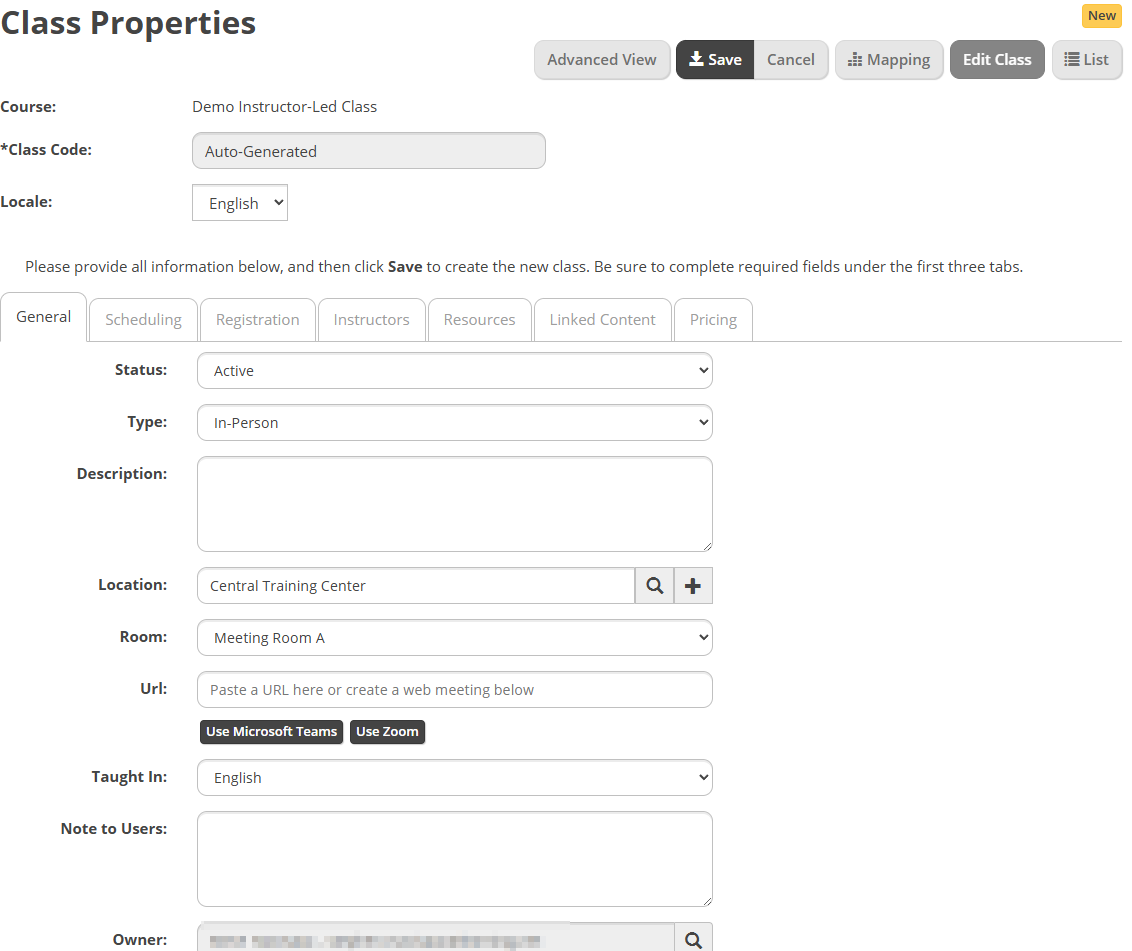
Enter a Class Code. Depending on your settings, it may be auto generated.
In the Status dropdown, select Active.
Use the Type dropdown to select In-Person or Virtual.
In the Description box, type a class description.
To select a location for the class, select the search icon and select a Location from the existing list. You can also use the + icon to create a new Location. In the Location List dialog box, select Go, and then select the appropriate location from the list. Then select the appropriate Room.
If the class is a virtual Web session, in the URL box, type the URL that provides learners access to the class. Otherwise, leave it empty.
Complete the Note to Users field, if necessary.
Select the magnifying glass icon to assign an owner, if necessary.