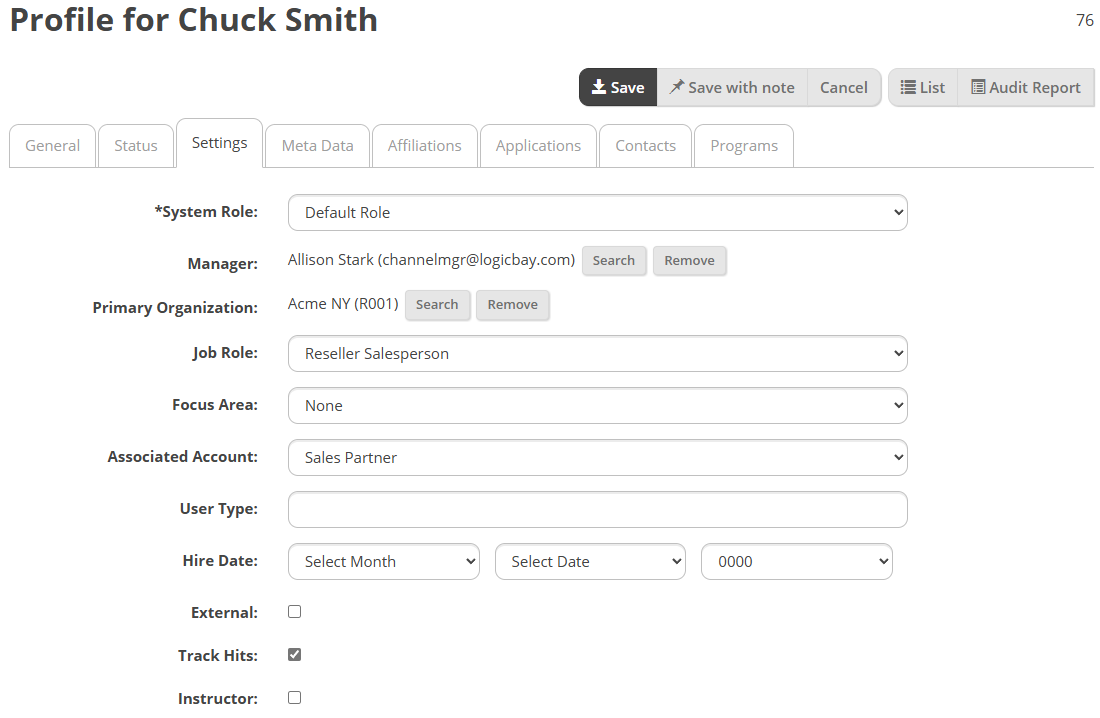
System Role – For a typical user, leave this as Default Role, although others can be selected when appropriate.
Manager – Select the Search button and select the user’s direct manager.
Job Role – Select the user’s Job Role.
Focus Area – Leave Focus Area at None.
Associated Account – Accounts can be set up to facilitate billing, with each user being assigned to a specific account. The default is None.
User Type – This is a custom field, may not be applicable to your instance.
Hire Date – The date the user was hired.
External – Indicates whether the user is an external or guest type user.
Track Hits – The Track Hits check box provides data for statistical information on user activity on Performance.
Instructor – The Instructor check box indicates if the user can be selected as an instructor type resource for an instructor-led training (ILT) course.